Screenshots
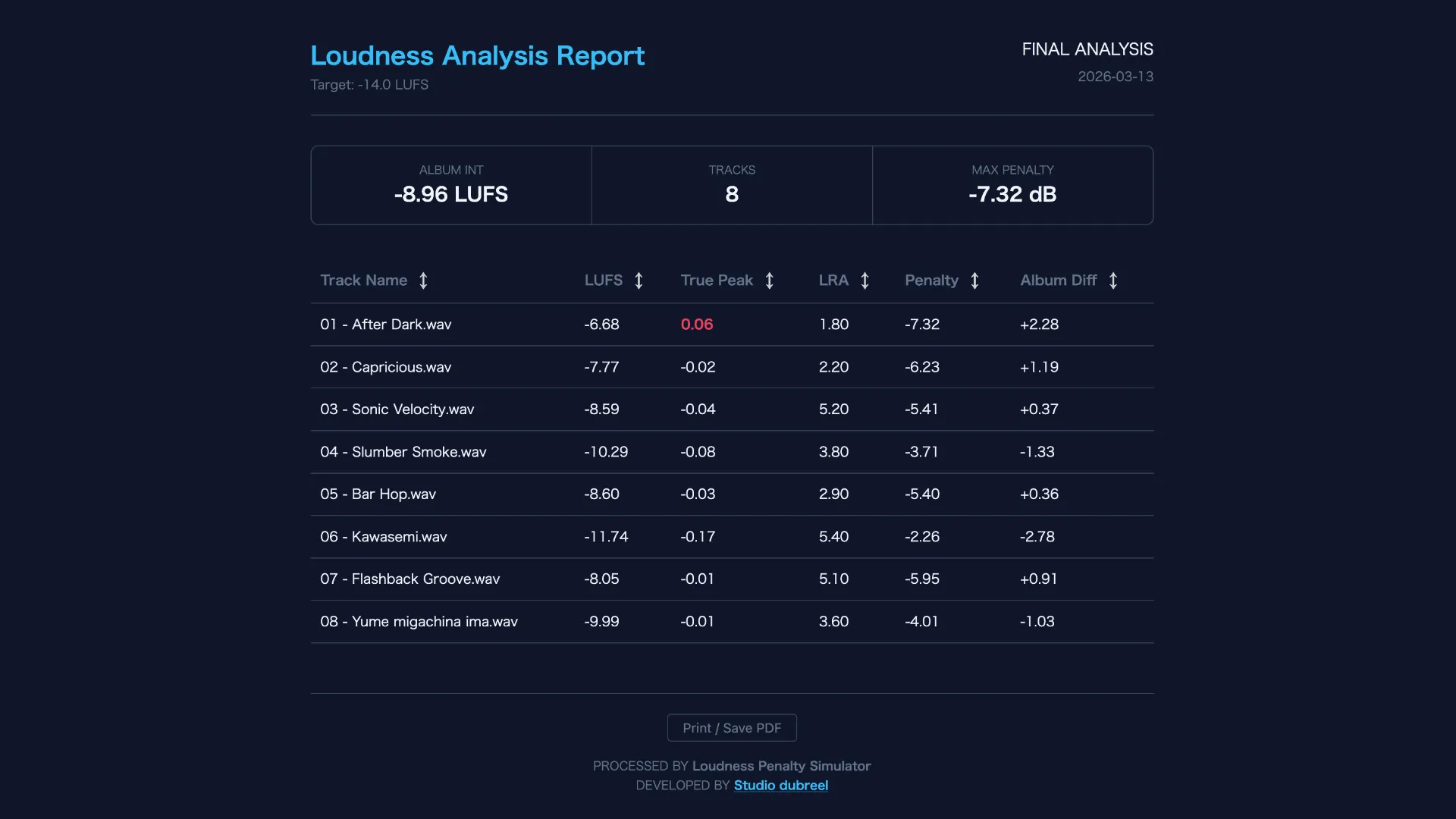
App Interface
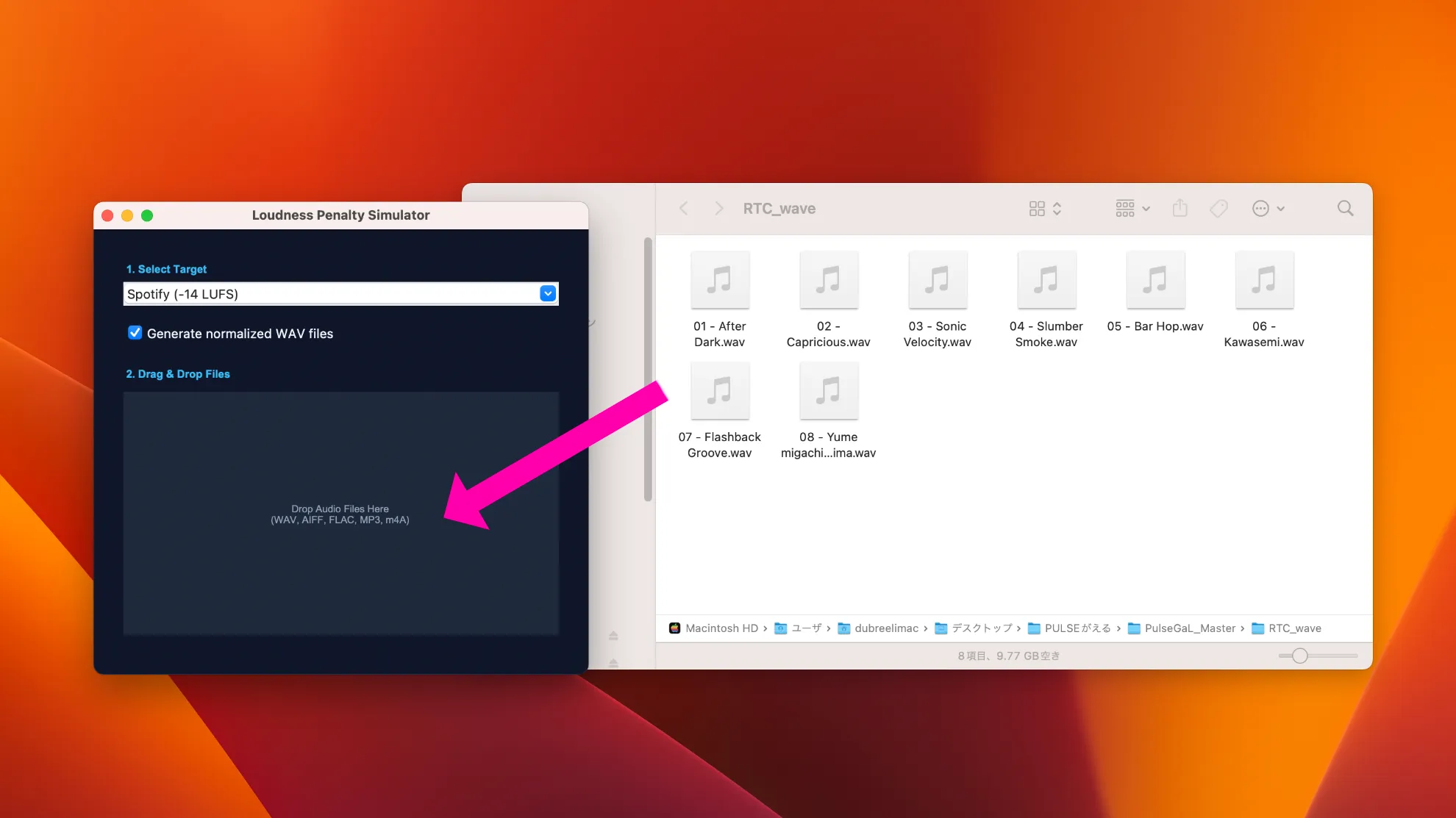
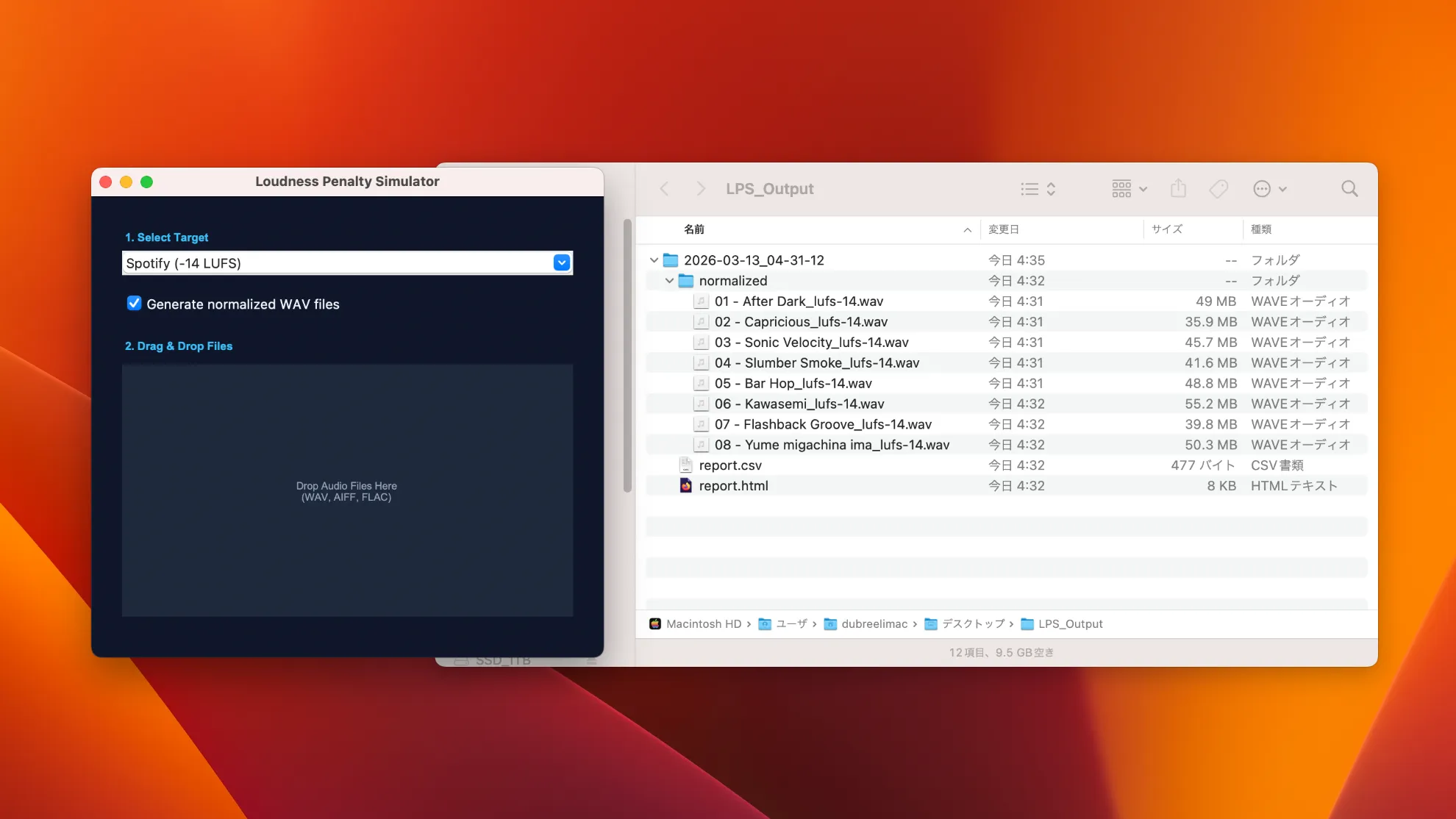
Output Directory
Analyze and simulate loudness reduction on Spotify and YouTube. A freeware tool built to improve the precision of production, mixing, and mastering in the streaming era.
A simple and intuitive workflow—just drop in your audio files. Supports batch LUFS measurement for multiple tracks.
Export measured loudness values as a sortable HTML report, ideal for review and comparison. Analysis results can also be exported as CSV.
Generate audio rendered at the reduced playback level so you can hear the difference for yourself.
Basic usage and first-launch instructions
On the first launch, macOS security settings may prevent the app from opening with a double-click.
* When the app launches, an “LPS_output” folder will automatically be created on your desktop, and the analysis results will be saved there.
Select the target LUFS level for the simulation.
If you do not need the normalized audio export, uncheck “Normalize Audio”.
* Output files: HTML report / WAV / CSV
Drop your audio files into the analysis area. Batch analysis for multiple files is also supported.
Supported: WAV / AIFF / FLAC / MP3 / M4A
Once the analysis is complete, your default browser will open automatically and display the results report.
The report is saved inside the LPS_output folder by date and time, so there is no need to save it manually.
All analysis runs locally on your machine. Your audio files are never uploaded to external servers.
It is a system used by streaming platforms to reduce volume differences between tracks. Louder tracks are automatically turned down, while quieter tracks may be turned up depending on the platform. This tool visualizes how much your audio may be reduced during playback.
Streaming services such as Spotify and YouTube adjust playback volume through loudness normalization. For example, Spotify playback is typically normalized around -14 LUFS, so a track mastered at -9 LUFS may be reduced by about 5 dB, while a track at -11 LUFS may be reduced by about 3 dB. This tool analyzes that playback reduction and lets you hear how much the volume changes.
Spotify is commonly associated with a reference value of around -14 LUFS, but this is a normalization reference, not a mandatory mastering target. Depending on the genre and the intended dynamics of the music, it is still common to finish a master at louder levels such as -9 LUFS.
Not necessarily. Suitable LUFS levels vary depending on the genre and musical context. What matters most is whether the impact and dynamics of your music still hold up after normalization reduces the playback level. Use the simulation feature in this tool to check how it sounds after the level is turned down.
LUFS is calculated based on the EBU R128 loudness standard. Rather than simply measuring peak level, it is designed to reflect perceived loudness more closely by taking the following factors into account.
Because of this, Integrated LUFS is widely used as a reference in streaming environments instead of simple peak level measurements such as dBFS. Loudness Penalty Simulator uses this LUFS analysis to simulate how much your playback level may change on streaming services.
As a mastering engineer, I use several professional loudness analysis tools in real-world work. Compared with those tools, the measurement difference of this app was typically around 0.01 to 0.1 LUFS and around 0.1 to 0.2 in LRA. For checking loudness in production and understanding normalization behavior, I consider this level of accuracy practical and reliable enough for real use.
Absolutely. Bug reports and improvement ideas are always welcome. That said, my main job is studio engineering, so development happens in my spare time. I may not be able to respond immediately, but I will continue improving the tool whenever possible.
As an engineer working with many artists, I often come across misunderstandings about loudness normalization.
“Should everything be mastered to -14 LUFS?”
“Does loudness no longer matter?”
These ideas come up a lot, but in real-world production, understanding loudness and playback environments is what truly matters.
That is why I created Loudness Penalty Simulator as a free tool that anyone can try with ease.
This tool is developed and maintained by an independent engineer. If it has helped your music production work, I would truly appreciate your support to help keep development going.
* Opens the PayPal.me link